
Templates are used for the dynamic filling of text and images in your digital signage. Using this feature allows for a more dynamic presentation, favoring information variety with low operational effort.
Registering a New Template
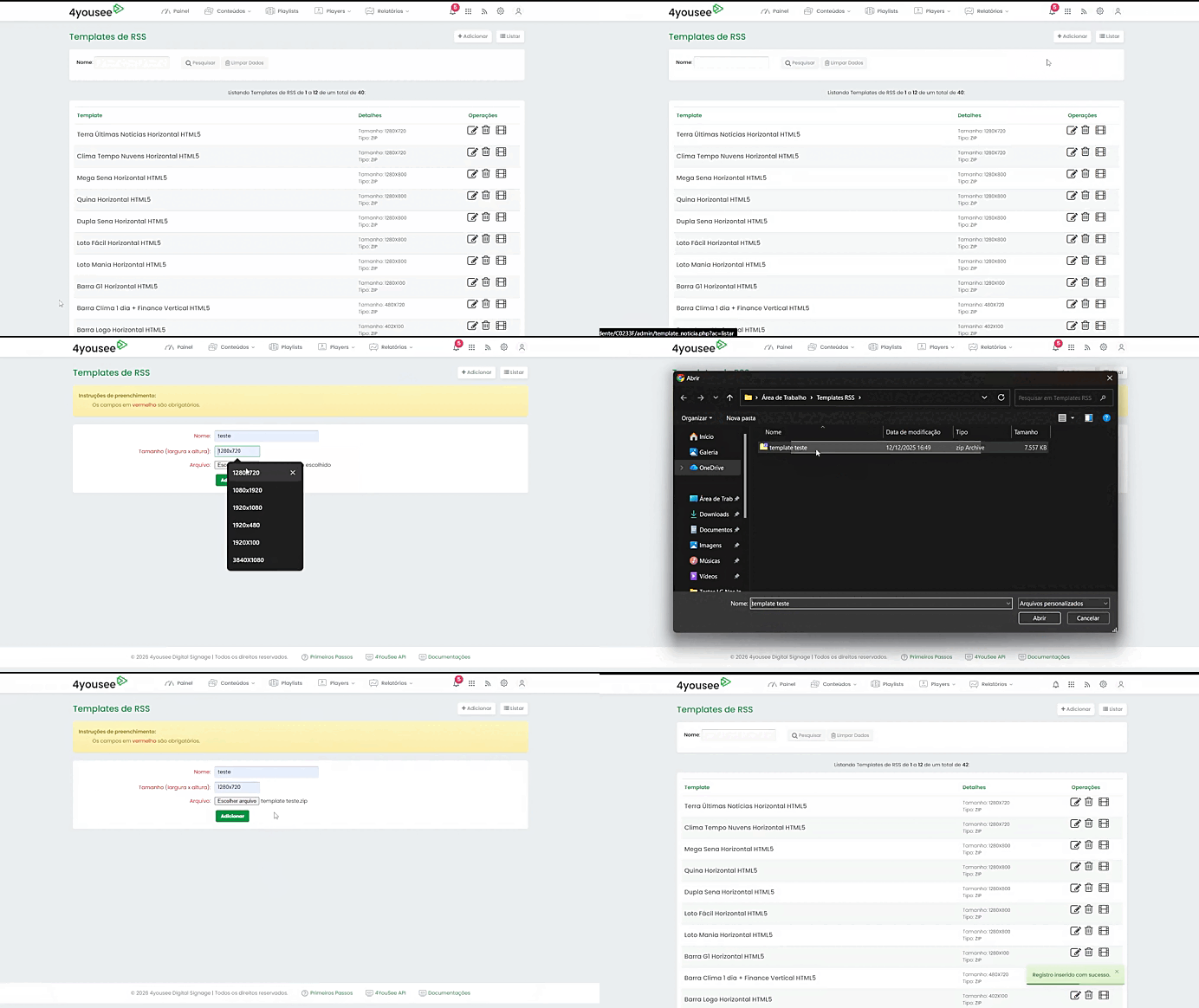
To add a new template to your account, follow the steps below:
Access the News Feed menu.
Click on the RSS Templates option.
Click on the Add button.
In the Name field, type the name that will identify the template in your account.
In the Size (width x height) field, enter the template dimensions.
Examples: 1280x720 (Horizontal), 720x1280 (Vertical), or 1280x100 (News ticker).
In Choose File, locate and select the template file on your computer.
Click on Add.
Important Notes
Important: Ensure that the entered dimensions exactly match the dimensions of the uploaded file to guarantee correct display on the player.
Conclusion
After completing these steps, your template will be successfully registered and ready for use in your data sources and campaigns within 4yousee Manager.